
You can attach up to 4 PDF forms to each service, such as an intake form or a health history. Patients download them when they book.
Would you rather patients fill forms in on Materia+, with the answers in their chart? See Intake forms.
Add a form
- Open Practice → Services and press Edit on the service.
- Under Forms, press Add a form (or drop a PDF on it). Each form can be up to 10 MB.
- Give it a name patients will understand, such as "New patient intake form".
- Press Save changes.
What patients see
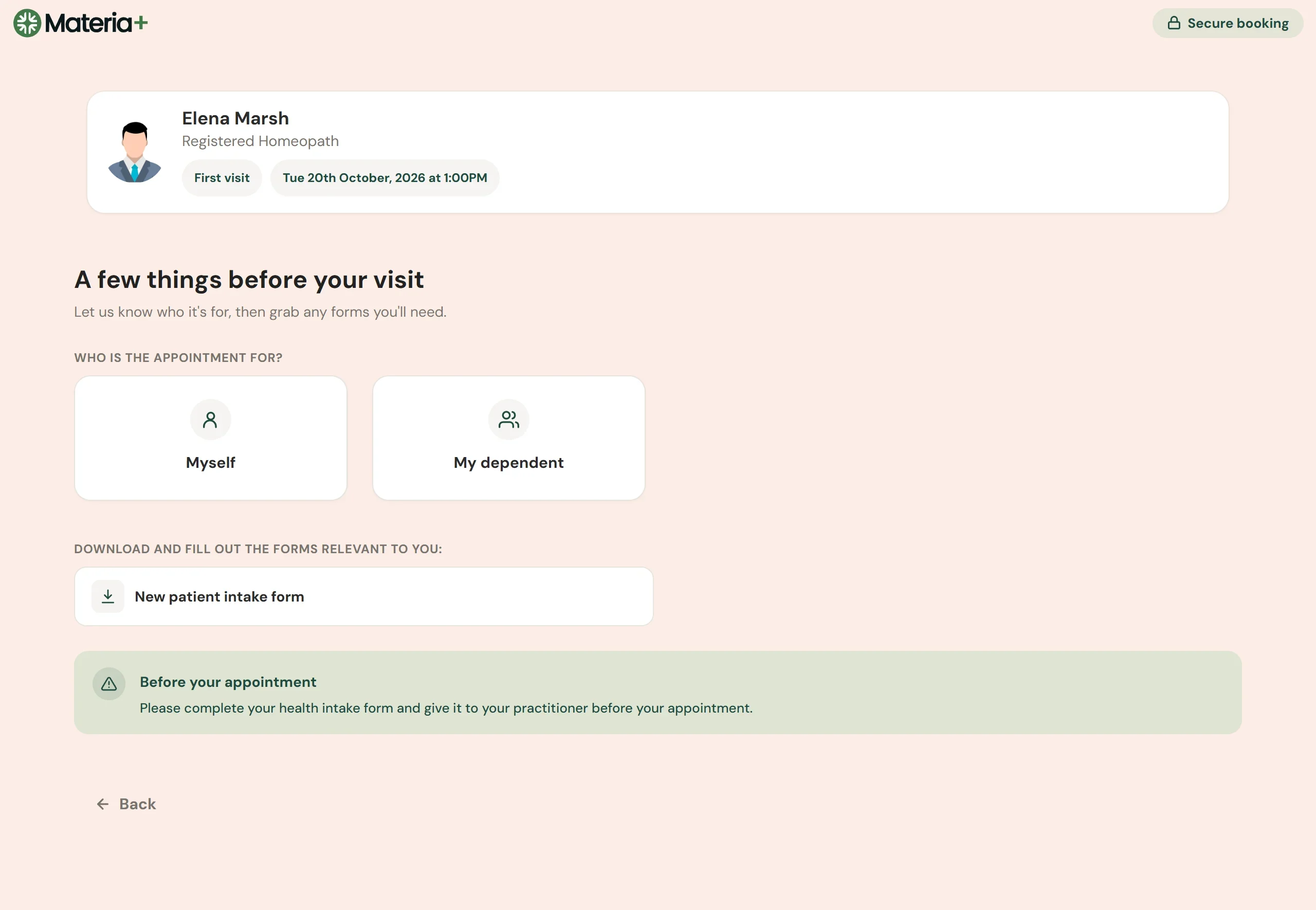
In step 2 of booking, patients see your forms under Download and fill out the forms relevant to you, with a reminder to complete their intake form and give it to you before the appointment.
Getting forms back
Tell patients how to return the form: bring it to the visit, or send it to you. Keep completed forms with your own records.
The Services list shows how many forms each service has.