
Build a form once, and Materia+ sends it to patients for you.
Start a form
- Open Practice → Forms.
- Press Use this template on one of the Materia+ templates, or New form to start from nothing. A template gives you your own copy to change.
The templates are General health history, Consent to care, Child intake, Diet and lifestyle, Pain and discomfort, and Since your last visit.
The Consent to care template has placeholder text in square brackets. Replace it with your practice's own consent wording. Materia+ won't publish a form while any of that bracketed text is still there.
Add questions
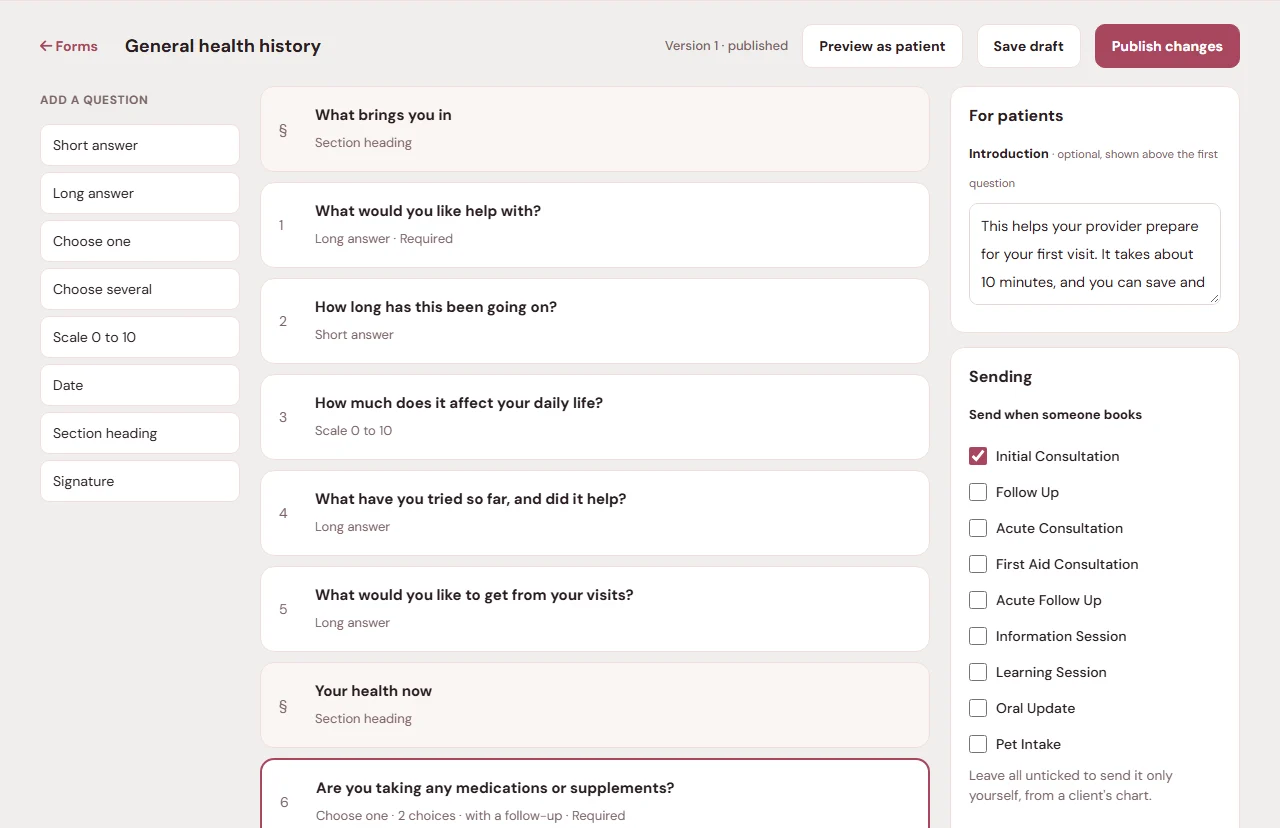
Press a question type on the left to add it:
- Short answer and Long answer
- Choose one and Choose several, with your own choices
- Scale 0 to 10, with words under each end, such as "Very poor" and "Very good"
- Date
- Section heading: starts a new page for patients, with an optional introduction
- Signature: the statement patients agree to. They sign once, at the end, by typing their name.
Change a question
Press a question to open it. You can change its wording, add help text, mark it Required, move it up or down, duplicate it or remove it.
For a Choose one question, tick Ask a follow-up question for one choice to ask more only when that choice is picked. For example: "Are you taking any medications?" and, if Yes, "Please list them, with how much and how often."
Under For patients, you can add an introduction that appears above the first question.
Check and publish
- Press Save draft to keep your work. Nothing is sent yet.
- Press Preview as patient to see the form exactly as patients will.
- Choose who gets it. See Choosing who gets a form.
- Press Publish.
Changing a published form
Make your changes and press Publish changes. This makes a new version:
- Answers already given stay with the version the patient saw.
- Patients who haven't started the form yet get the new version.
To stop sending a form, open it and press Archive form. Answers already given stay in your clients' charts, and you can restore it from the bottom of Practice → Forms. A form you never published can be deleted instead.