
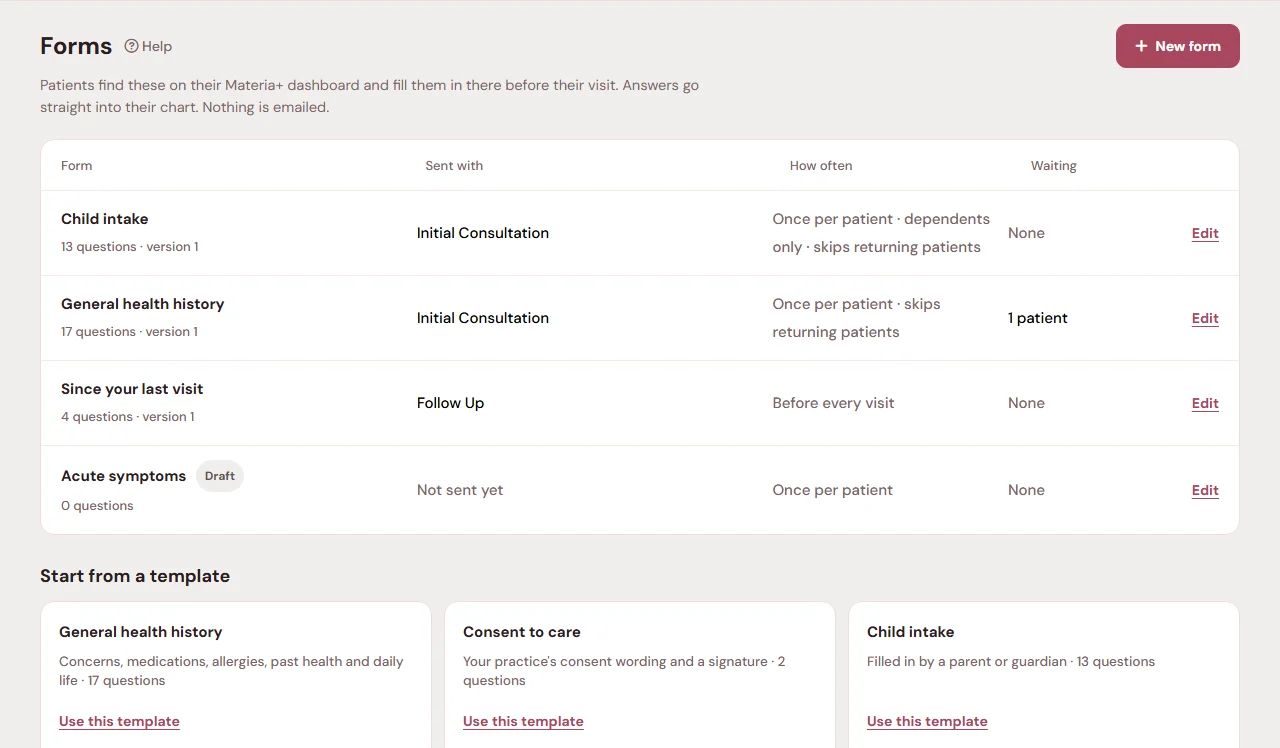
Intake forms let patients fill in a health history, a consent form or any other form on Materia+ before their visit. Their answers go straight into their chart. There's nothing to print, scan or email.
How it works
- You make a form in Practice → Forms, from a Materia+ template or from nothing. See Making a form.
- You choose which services send it when someone books them. See Choosing who gets a form.
- When a patient books, the form waits for them on Materia+. They fill it in and sign it there.
- You read the answers in their chart. See Reading answers and sending forms.
What patients see
Forms are never sent by email. Patients see them:
- on the booking confirmation page, with a Fill in now button
- at the top of their Dashboard, under Before your visit
- under the appointment, on their Dashboard and in My Appointments
- as a notification

Their booking confirmation and reminder emails say how many forms are waiting, without any of the questions. Patients answer page by page, can stop and finish later, and sign at the end by typing their name.
Patients you added yourself, who don't have a Materia+ account, can't fill in forms online. You fill them in together. See Filling in a form with a patient.
Keeping answers safe
Answers are stored encrypted and locked once sent. Only you see your patients' answers. Each time you open or download them, it's recorded in the client's record history.
Still use PDF forms? You can keep attaching them to services. See PDF forms on a service.