
Exceptions are one-off changes to your weekly hours. Find them under Exceptions on the Availability page.
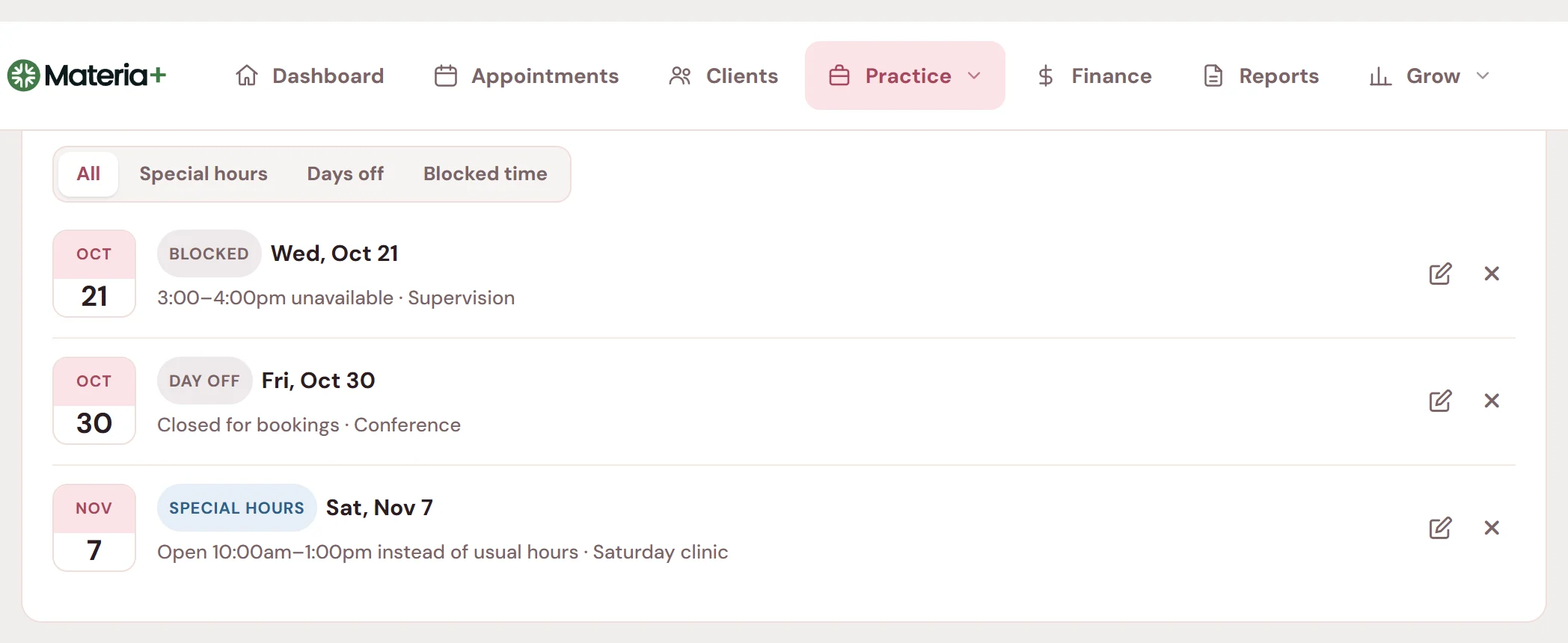
Three kinds
- Days off: one day or a run of days when patients can't book, such as a holiday or a conference.
- Special hours: different hours on one date, such as opening on a Saturday or finishing early.
- Blocked time: part of a day you're unavailable, such as a meeting.
Add a note to any of them, so you remember why. Patients don't see it.
Add one
- Press Add exception.
- Choose the kind, the date or dates, and the times.
- Save.
To change or remove one, use the pencil or the cross next to it.
From the calendar
On Appointments, drag across empty time on the calendar to block it, or click a date for day options. Block time at the top does the same.
Appointments already booked
Adding a day off doesn't cancel appointments already booked that day. If you have any, we tell you, so you can move or cancel them.