
You can search for providers from Find care at the top of any page, or from the search box on your Dashboard.
Search
- Provider: type a provider's name if you know who you're looking for.
- Focus: a condition, symptom or type of care, such as sleep, digestion or massage.
- Where: a city or postal code, to find providers near you.
Then narrow the results with the filters below the search box: type of care, language, Video visits, Community Leaders, and how the list is sorted.
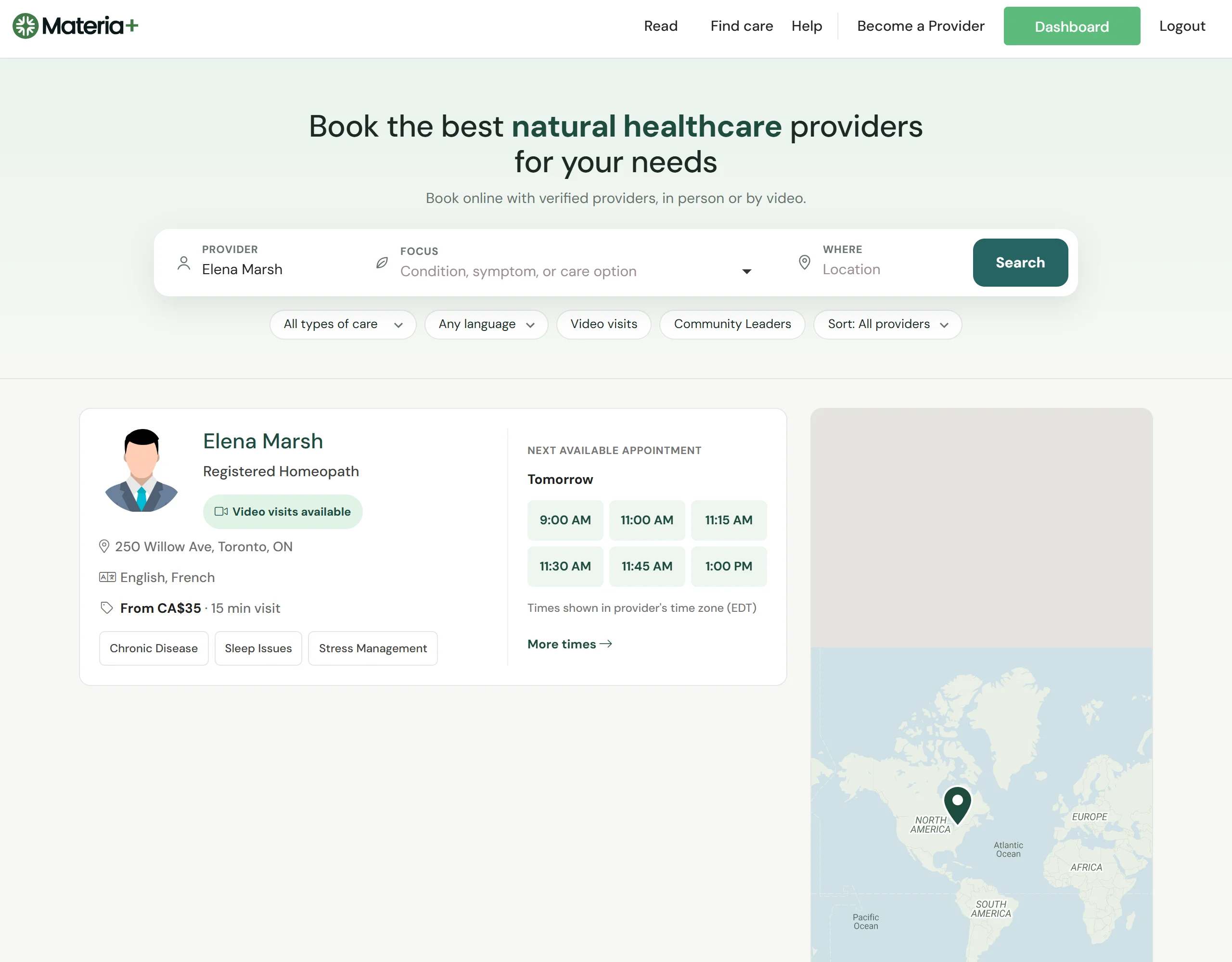
Reading a provider card
- Their title, address (or "Online practice" for providers who only see patients by video and phone), languages and starting price.
- Video visits available, if they offer them.
- The areas they focus on, and any badges they've earned.
- Next available appointment: a few open times you can book straight away, shown in the provider's time zone.
Press a provider's name to open their profile, or a time to start booking.
Online providers
Some providers work only by video and phone. They show up when you search anywhere in the province or state they practise in.