
Clients lists everyone you've seen or booked, with each person's chart in one place.
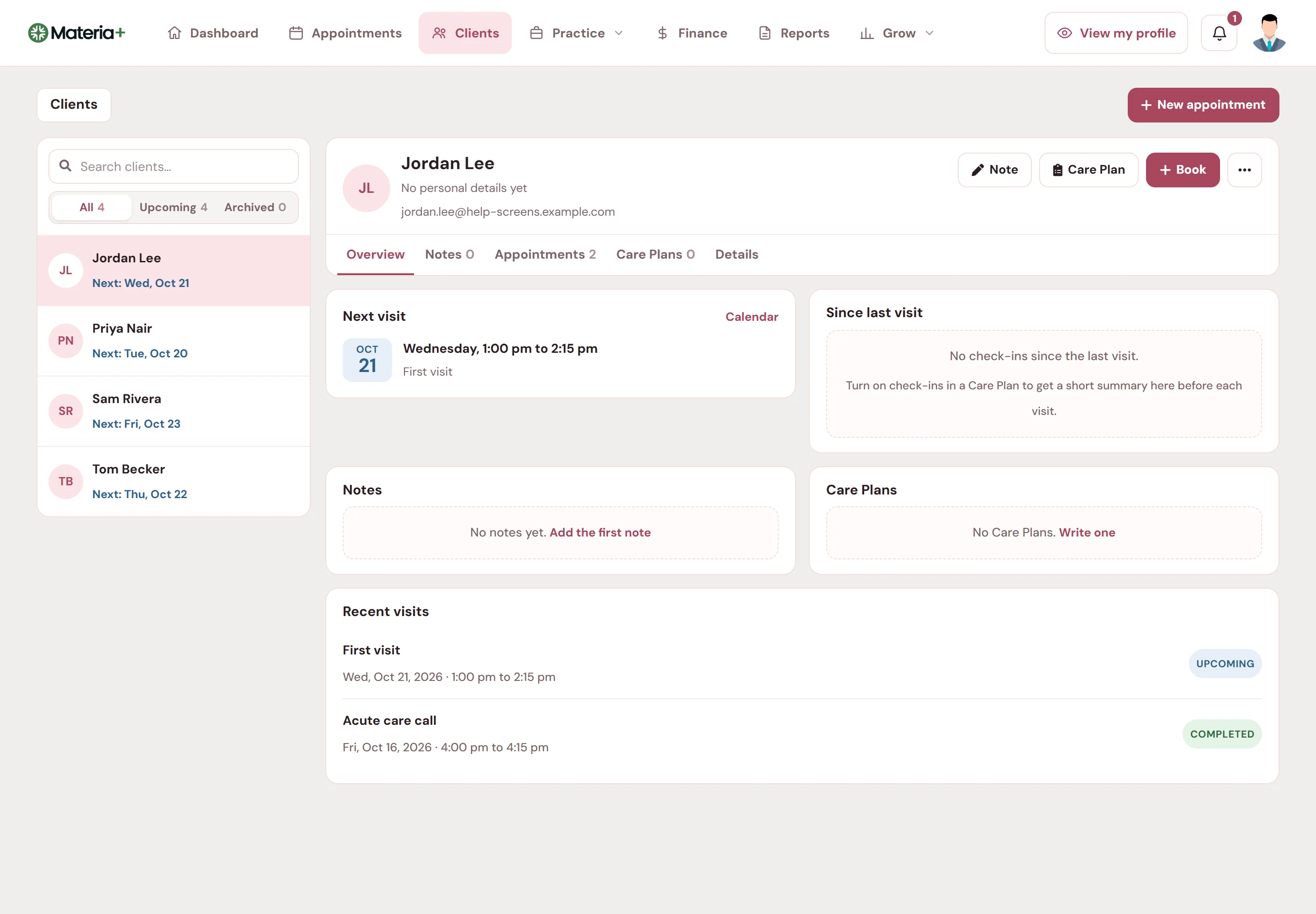
The client list
Search by name, or filter by All, Upcoming (clients with a booking coming up) or Archived.
A client's chart
- Overview: their next visit, a summary of their check-ins since the last visit, recent notes and care plans, and recent visits.
- Notes: your private notes. See Notes.
- Appointments: every visit, past and coming up.
- Care Plans: plans you've written for them.
- Details: their personal and contact details, emergency contact, dependents, and the consents they've given you.
The buttons at the top add a Note, start a Care Plan or Book an appointment.
More options
The … menu has more:
- Archive client, for someone you no longer see.
- Download file copy: their whole record as a PDF, for example when a patient asks for a copy (also in Reports → Patient file copy).
- Report patient, if a patient has been abusive or harassed you. Our team looks into it.
Archived clients are kept, not deleted. Restore them any time from Archived.
Who sees what
Only you see your clients' charts. Each time a chart is opened or changed, it's recorded in your audit trail (Reports → Audit trail).