
You can book any patient in yourself: someone who called you, a returning client, or a new patient without a Materia+ account.
Book an appointment
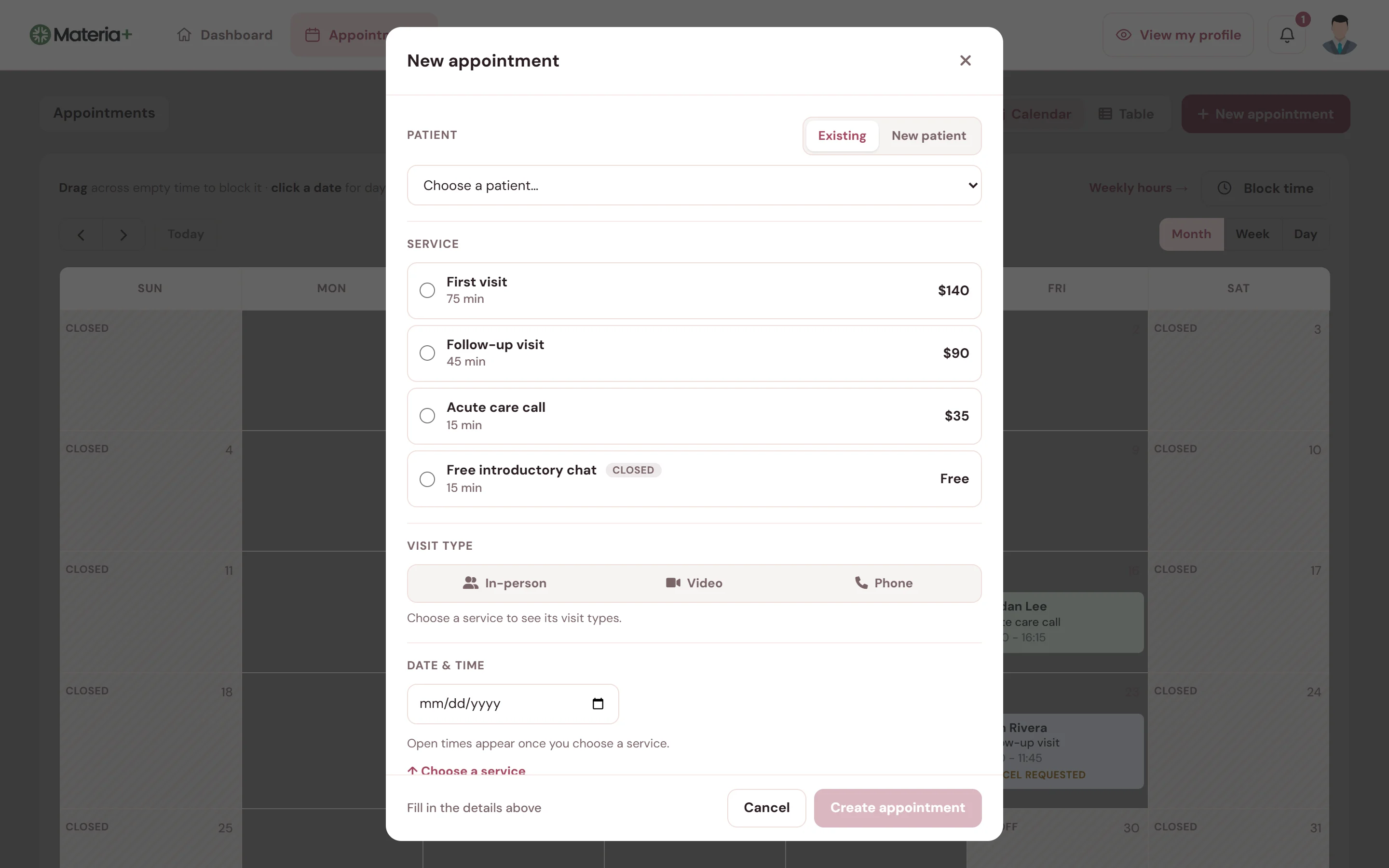
- Press New appointment on Appointments or Clients, or Book on a client's chart.
- Choose the patient: Existing for one of your clients, or New patient. See Adding a client without an account.
- Choose the service and the visit type (in-person, video or phone).
- Choose the date and an open time.
- Press Create appointment.
Your rules don't hold you back
When you book yourself, you can book outside your weekly hours, at short notice, and right up against another appointment (the buffer doesn't apply). You can never book on top of another appointment or into blocked time.
Recording consent
Patients who book online give their consent as they book. When you book for them, the first time, you record it instead: who gave consent (the patient or a substitute decision-maker), how (verbally or on paper), that they consented to their health information being used for their care, and that you told them how it's used. For a video visit, you also record their consent to telehealth.
What the patient gets
If the patient (or their contact person) has an email address on file, they get a booking confirmation and the usual reminders. If not, let them know yourself.