
Grow → Analytics shows how your practice is doing, and how patients find you. Choose 30 days, 90 days, 12 months or your own dates. Each number is compared with the period before.
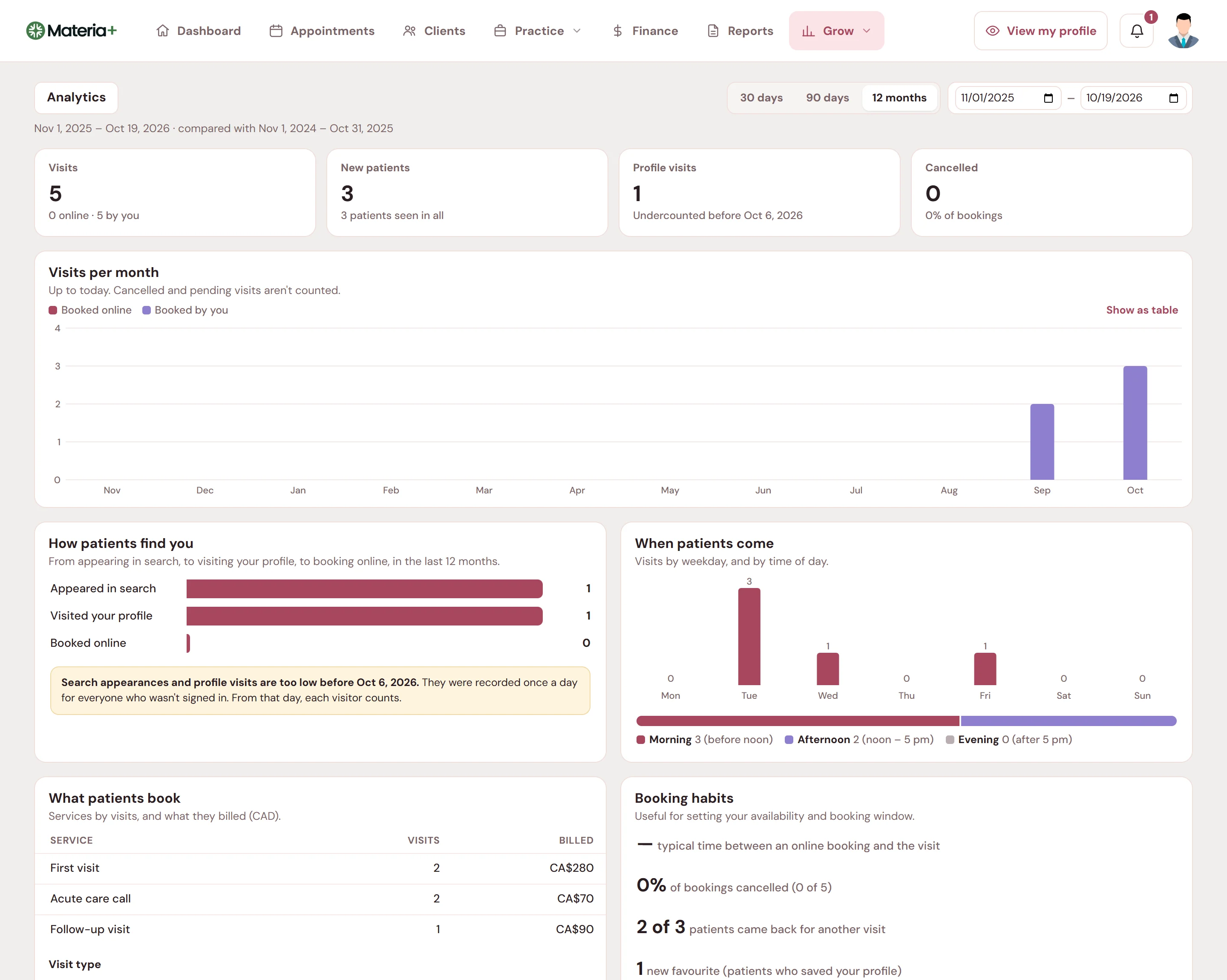
What you'll see
- Visits, new patients, profile visits and cancellations for the period.
- Visits per month, split into visits booked online and visits you booked. Press Show as table for the numbers.
- How patients find you: from appearing in search, to visiting your profile, to booking online.
- When patients come: by weekday and by time of day. Useful for setting your hours.
- What patients book: your services by visits and what they billed.
- Visit type: in-person, video and phone.
- Booking habits: how far ahead patients book, how many cancel, how many come back, and new favourites.
Cancelled and pending visits aren't counted in visits. For money in detail, see Reports → Sales analysis.
Your Dashboard has a short version under Profile performance.